Article verified for Release 15.1 on December 22, 2025.
This article explains how to view and manage the Logins and Logouts report, which allows administrators to track user access activity across the system. It covers how to access the report, review login and logout records, sort activities by date and time, and export data for auditing and reporting.
Accessing the page
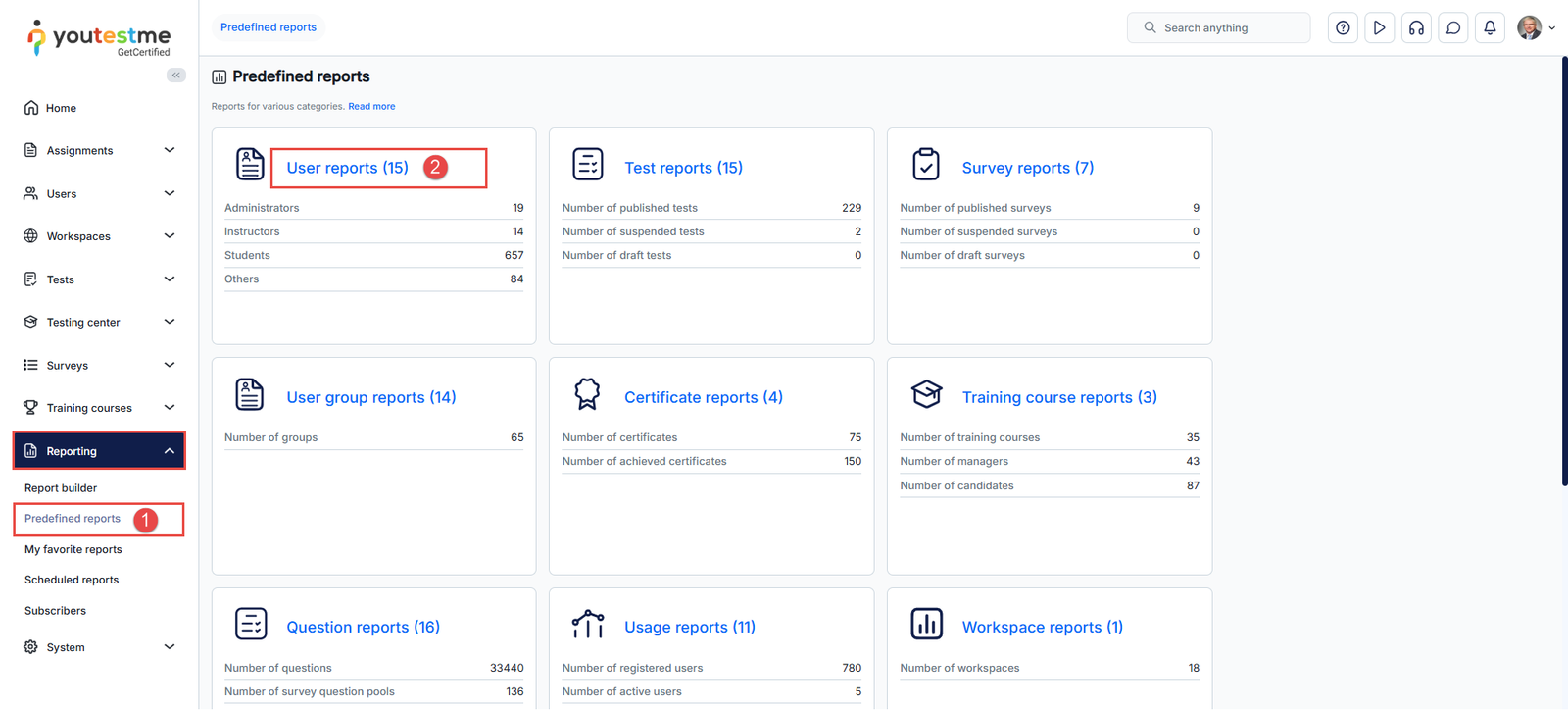
- Select the Reporting tab in the left-side menu and select the Predefined reports tab.
- The list of all predefined report categories will appear. Navigate to the User reports by clicking on the label.
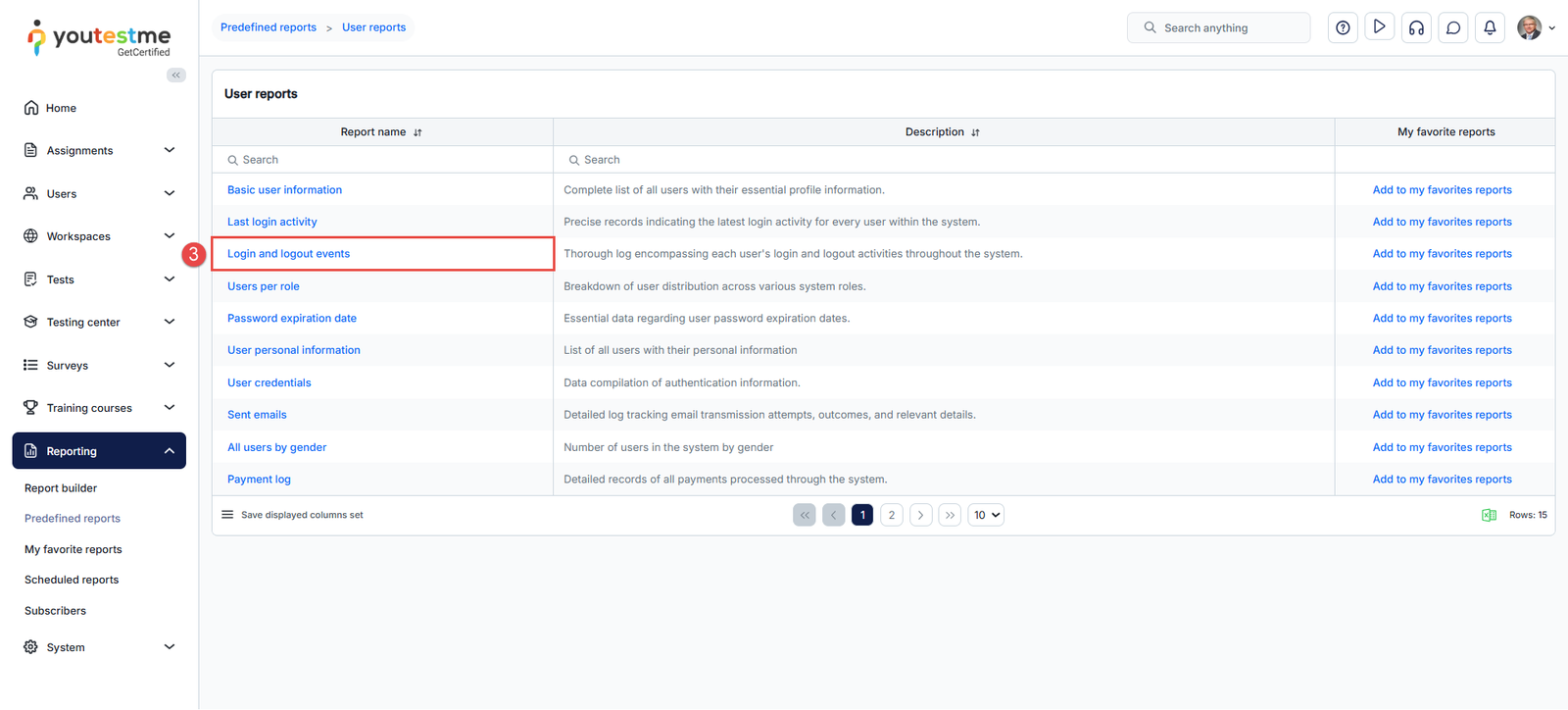
- The table of all available user-related reports will appear. Find and click on the Login and logout events report.
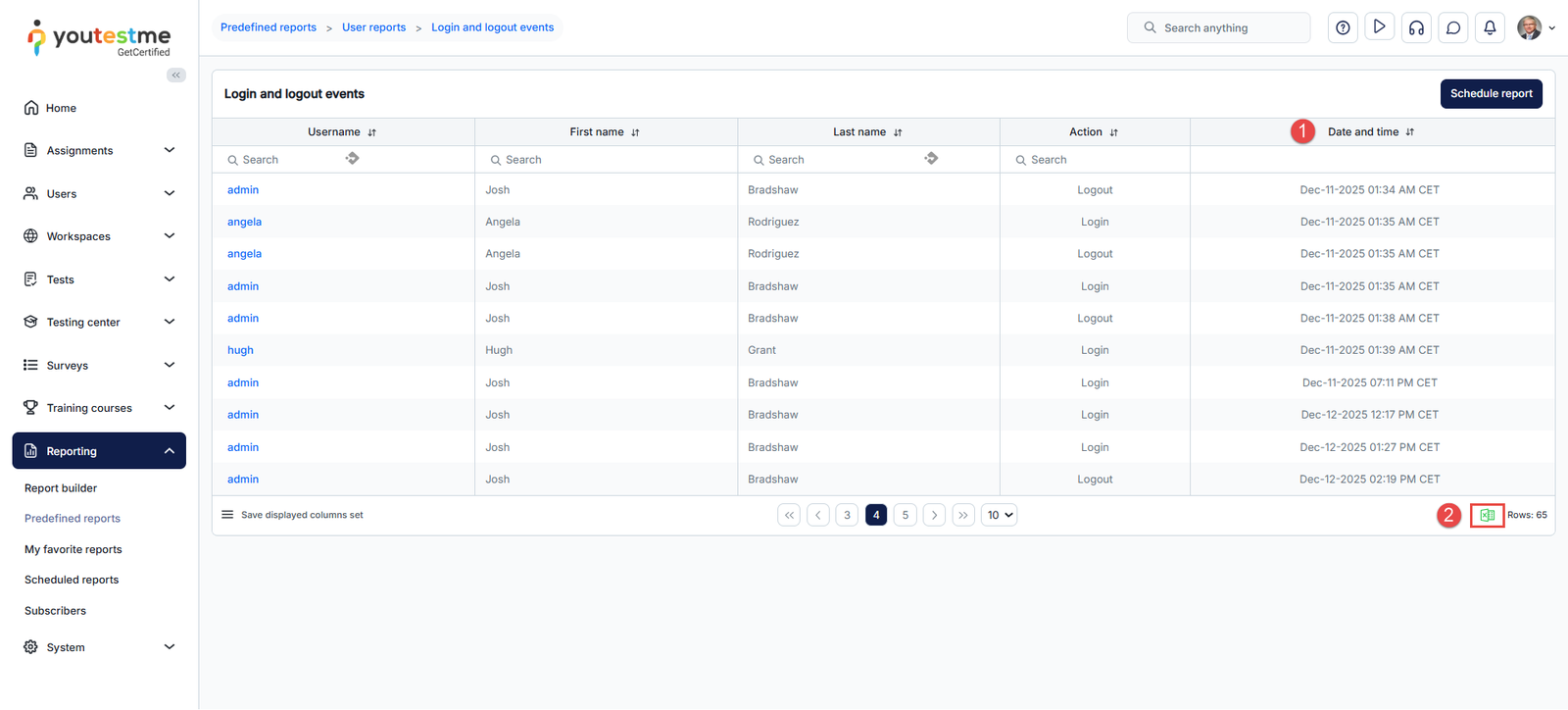
- Once the list of every login and logout activity shows up, you can:
-
- Sort the list by date and time. For example, you can display the latest or the oldest activities.
- Export the sorted list.
An example of the Excel export is provided below for your reference.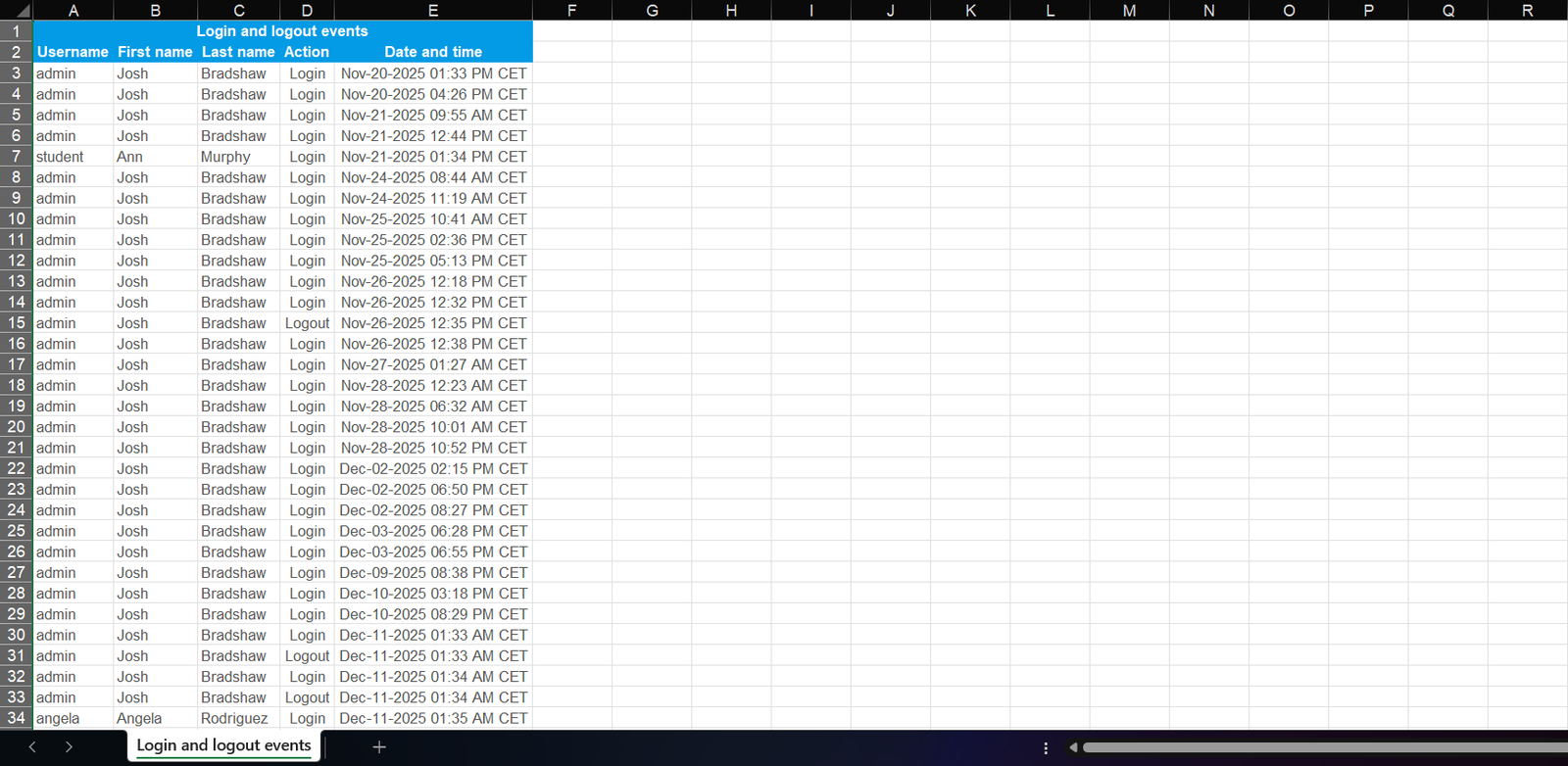
For more related instructional material, please see: