This article explains how to reset the login credentials in GetCertified.
Resetting the login credentials
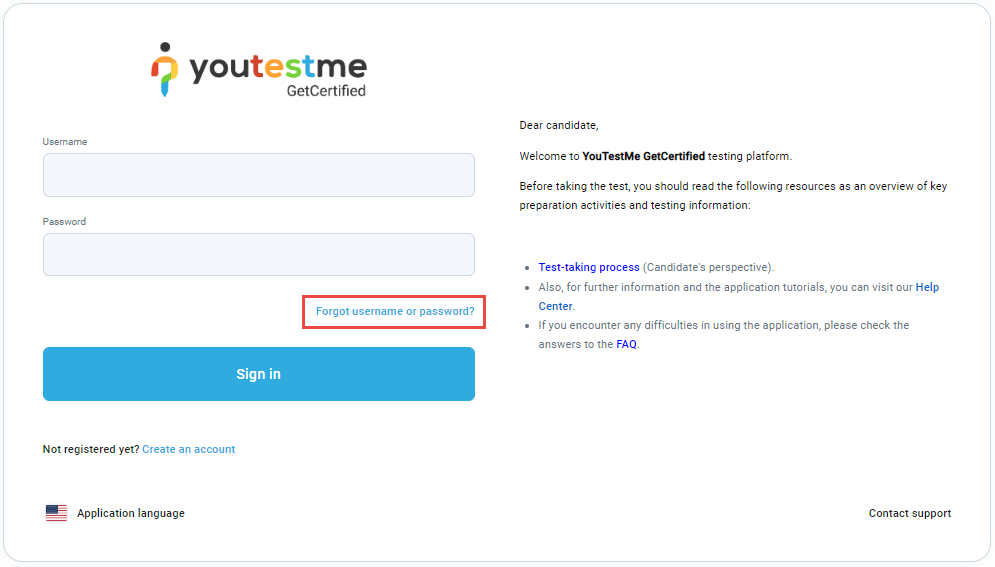
If you forgot your password or username, you can reset them by clicking on Forgot username or password.
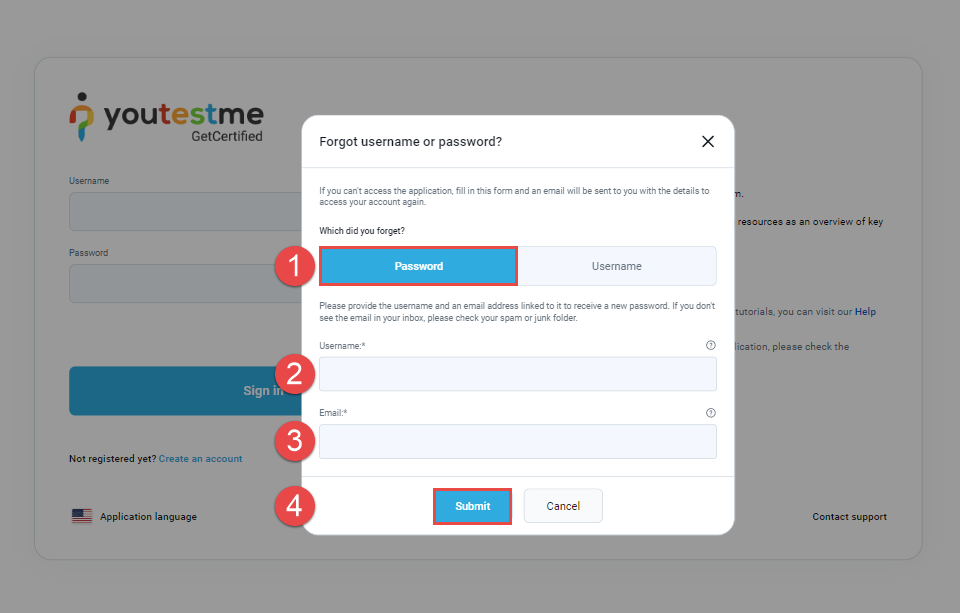
Resetting password:
In the pop-up window:
- Choose the Password option.
- Enter your username.
- Enter the email address that is connected to your account on YouTestMe GetCertified.
- Click the Submit button to request a password reset.
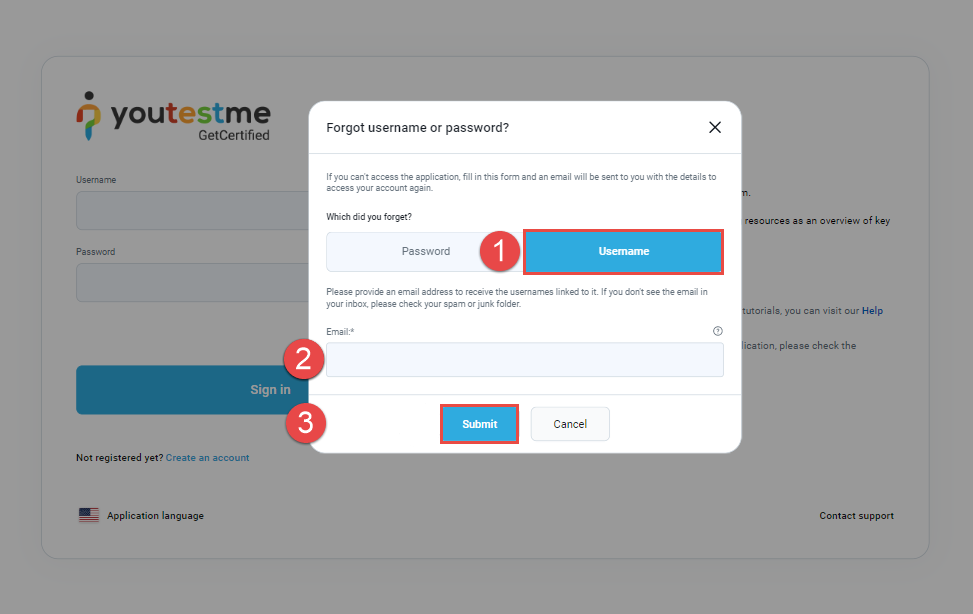
Resetting username:
In the pop-up window:
- Choose the Username option.
- Enter the email address related to your account on YouTestMe GetCertified.
- Click the Submit button to receive the instructions by e-mail.
For more useful instructional materials, please check these links: