Article verified for Release 15.2 on April 1, 2026.
This article will demonstrate how to add and use the User Uploaded Attachment column in the report builder for essay questions. Tracking whether candidates have submitted attachments is essential for reviewers and administrators, as essay questions often require supporting documents, files, or evidence to properly evaluate a candidate’s response. By enabling this column in the report builder, administrators can quickly identify which candidates have fulfilled the attachment requirement and which have not, making the review process more efficient and ensuring no submission is overlooked.
Accessing the page
To enable the option for adding attachments for the essay question, go to the Tests/New tests tab, and on the third step in the Test creation wizard, select the Pick questions from pools or create them on the spot option.
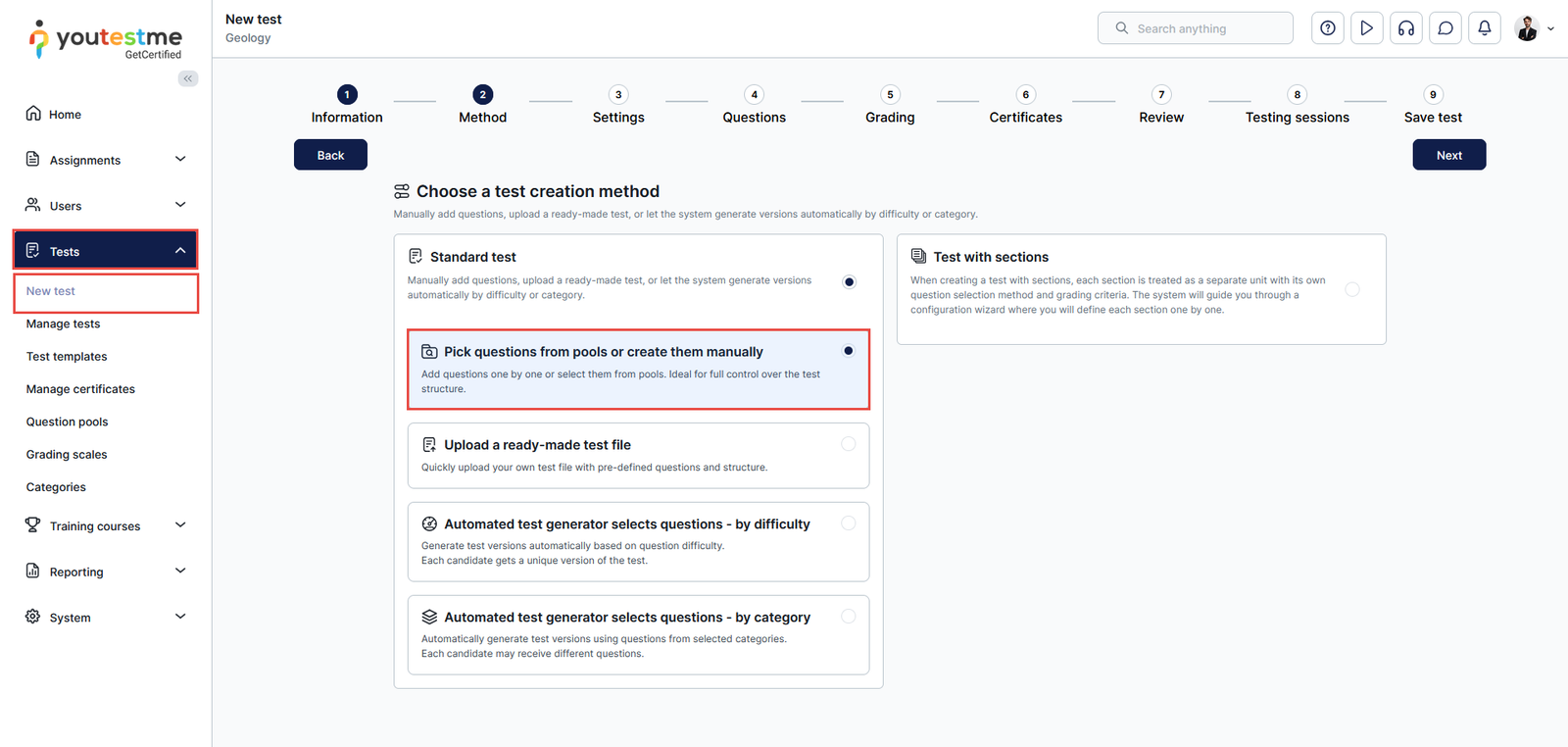
Select the Essay type question from the list Add a new question. Enter the text of the question, check the Mandatory attachment option, and add the question to the test.
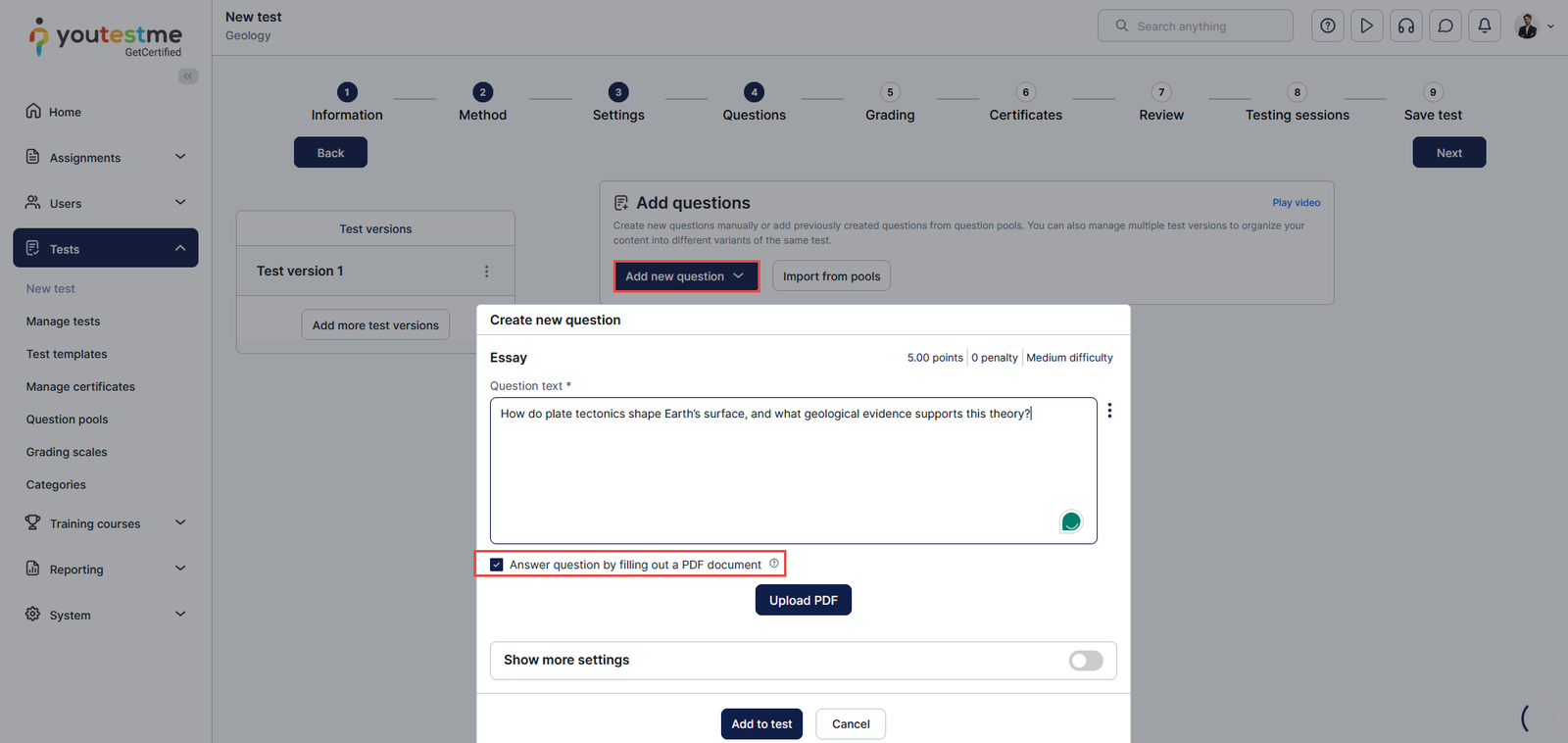
When enabling this option, the candidates are required to upload the attachment to proceed with the test.
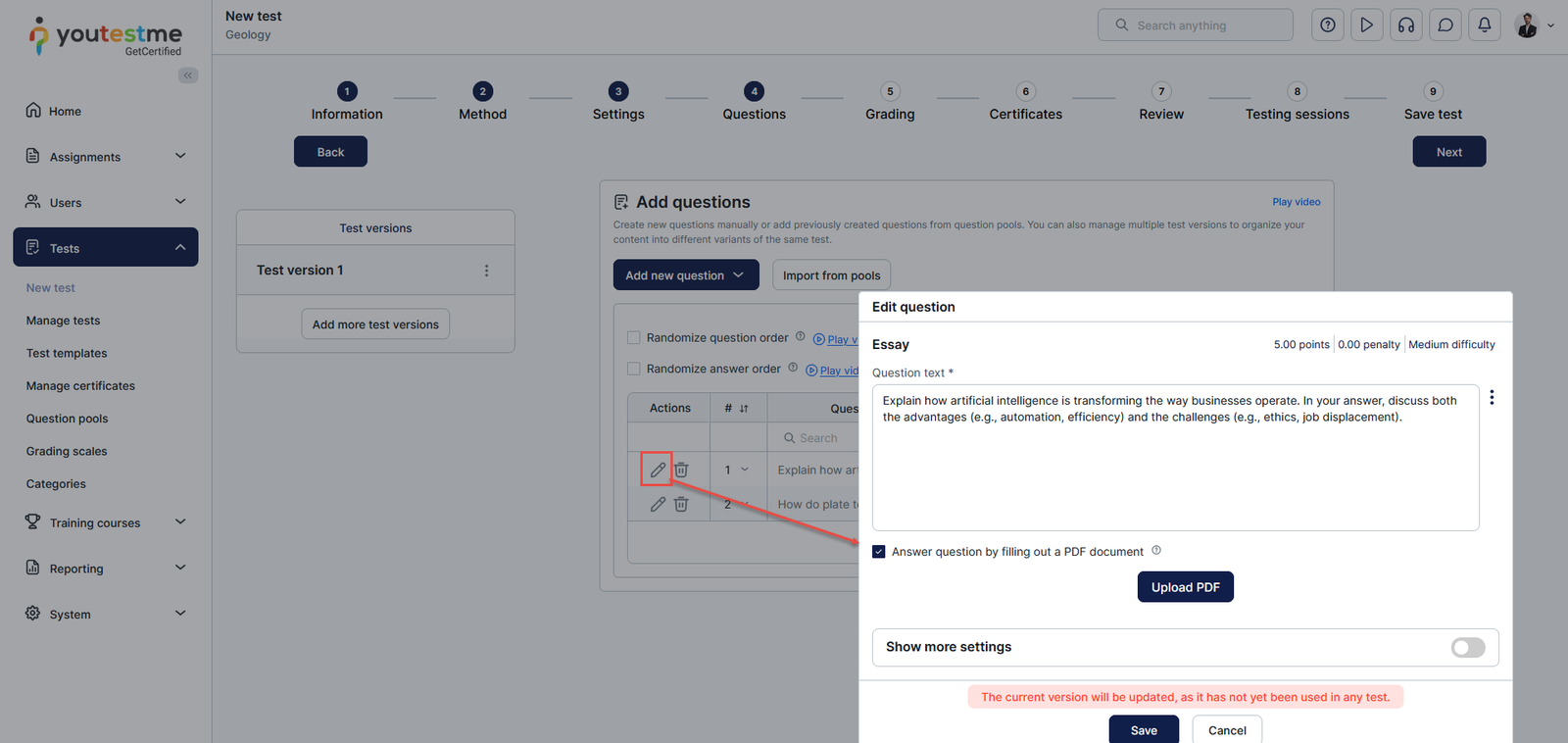
The option can be enabled even when uploading a question from a question pool. Just select the edit option from the Actions column.
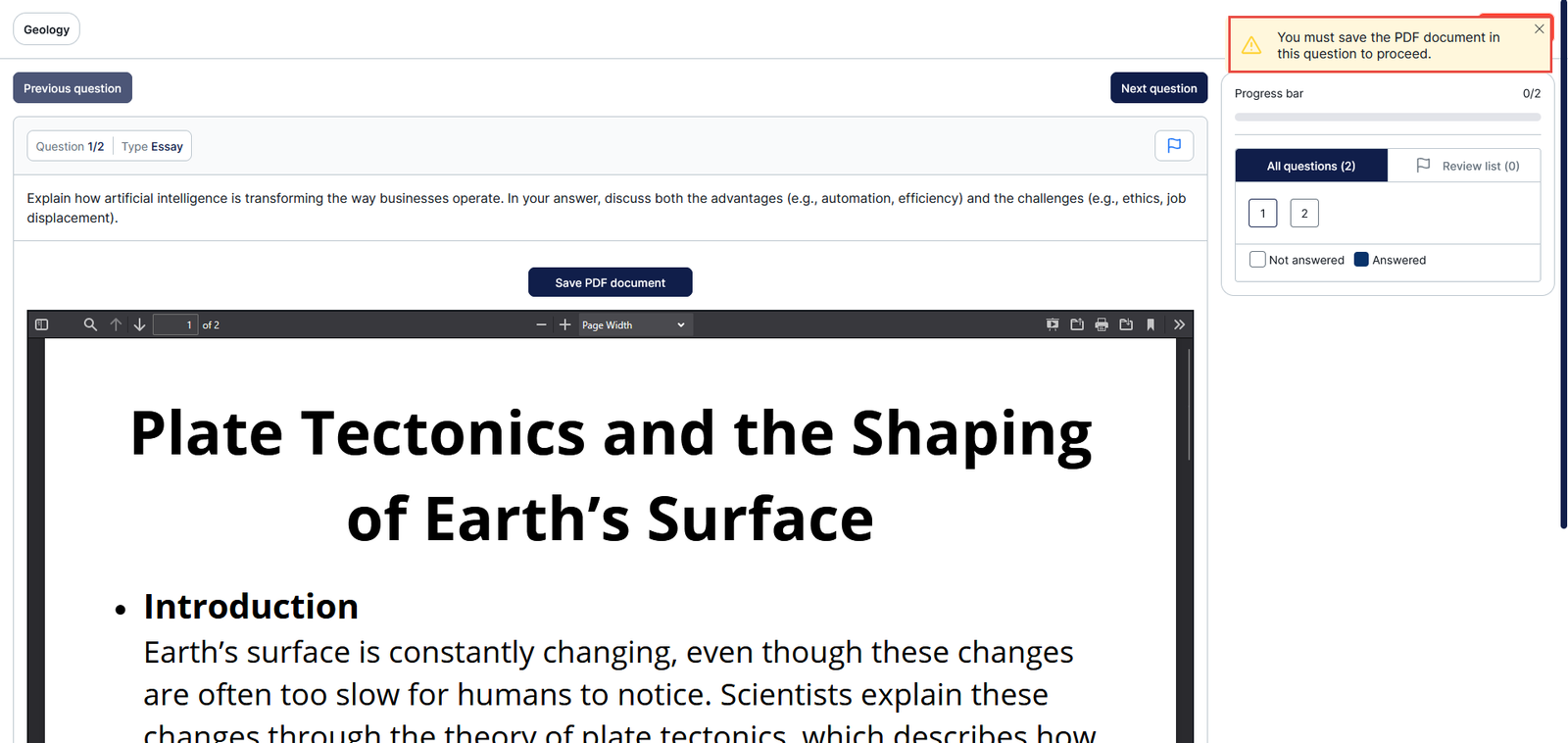
Candidate’s perspective
Suppose the candidates attempt to answer the essay question without uploading the attachment. In that case, the system will notify the candidate that they must provide an attachment to proceed with the exam.
Displaying the column for the uploaded attachment for the essay questions in the report builder
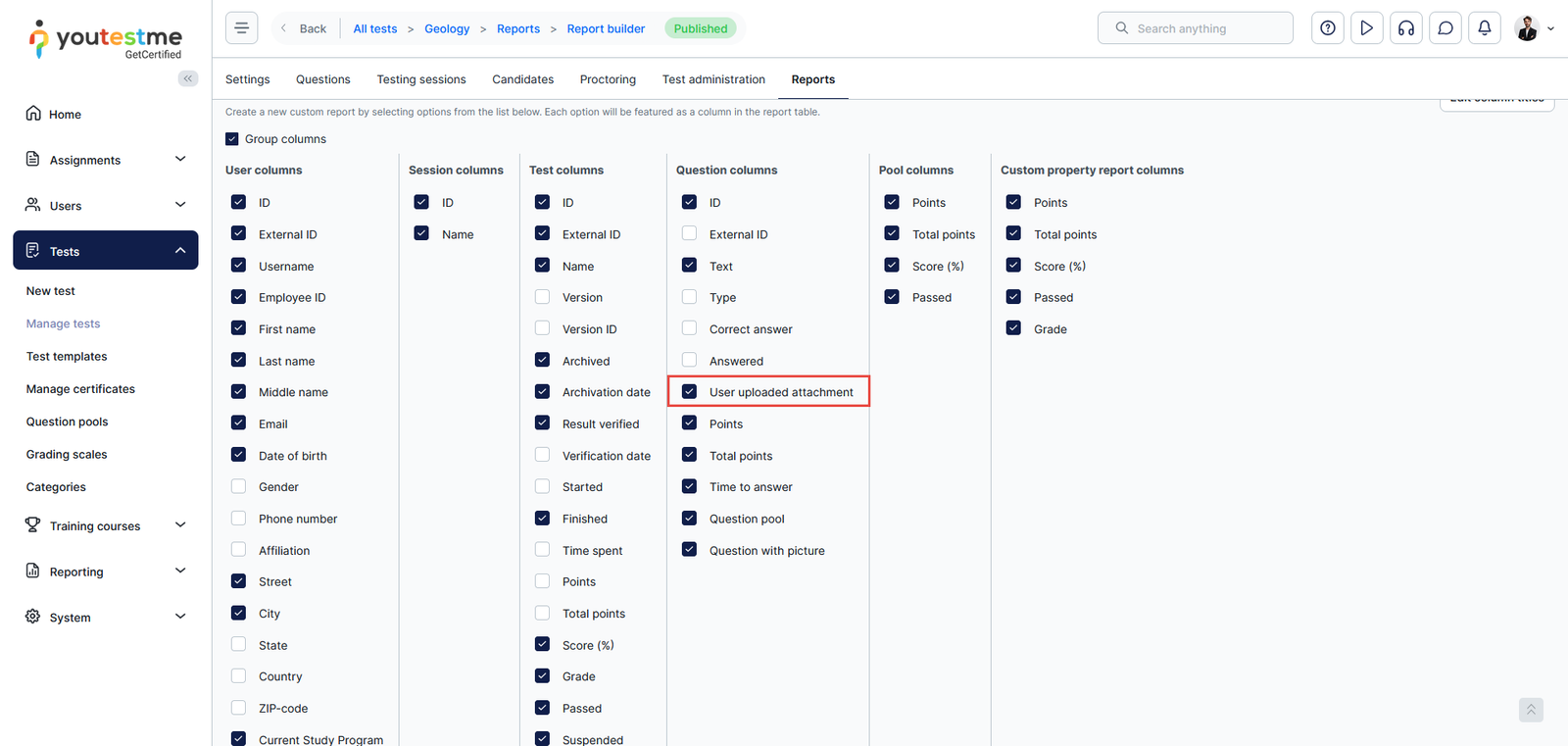
In the Manage tests/Report builder tab, you can turn the desired report columns on/off, but make sure the column User uploaded attachment is enabled. After adjusting the columns, select the displayed report.
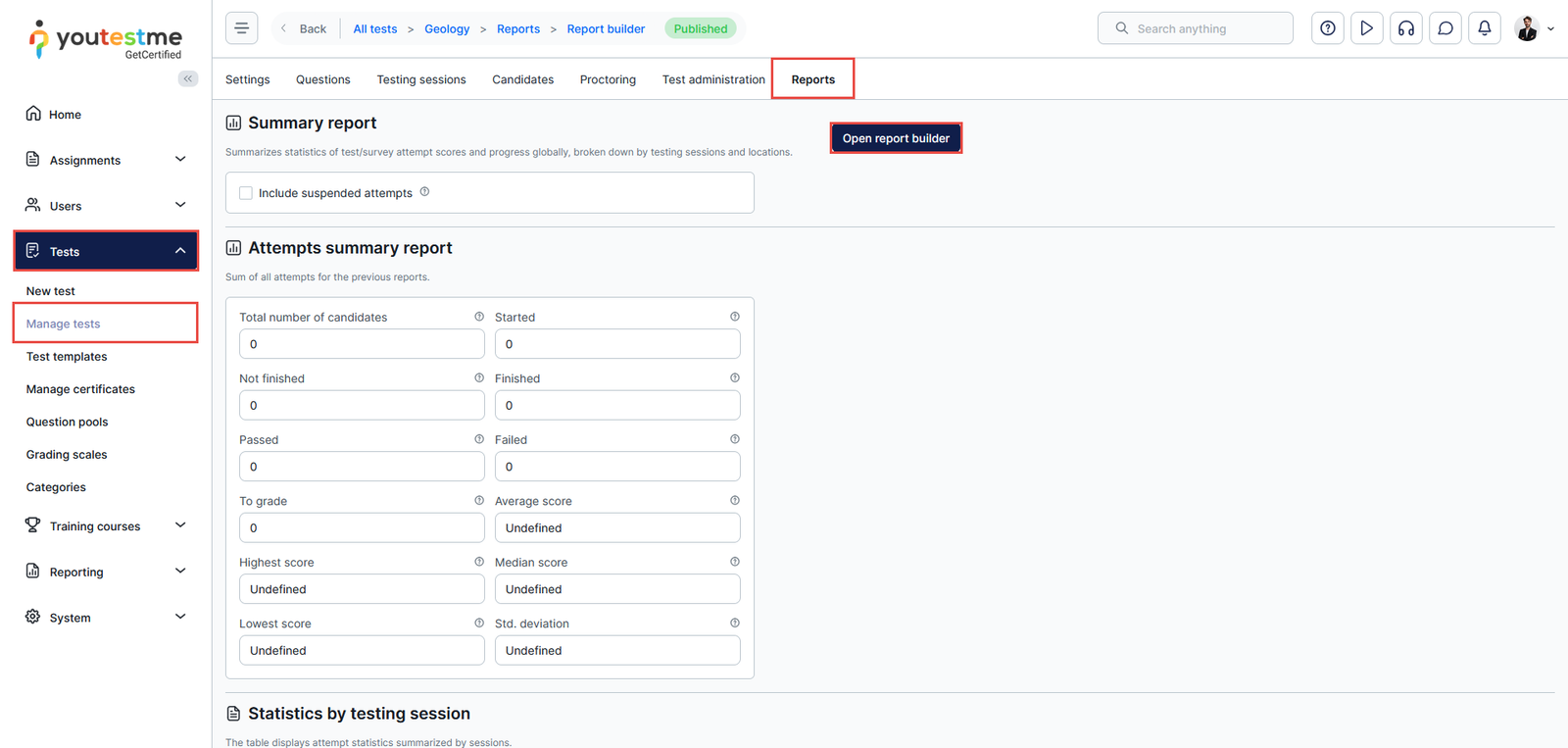
You can enable/disable the desired report columns here:
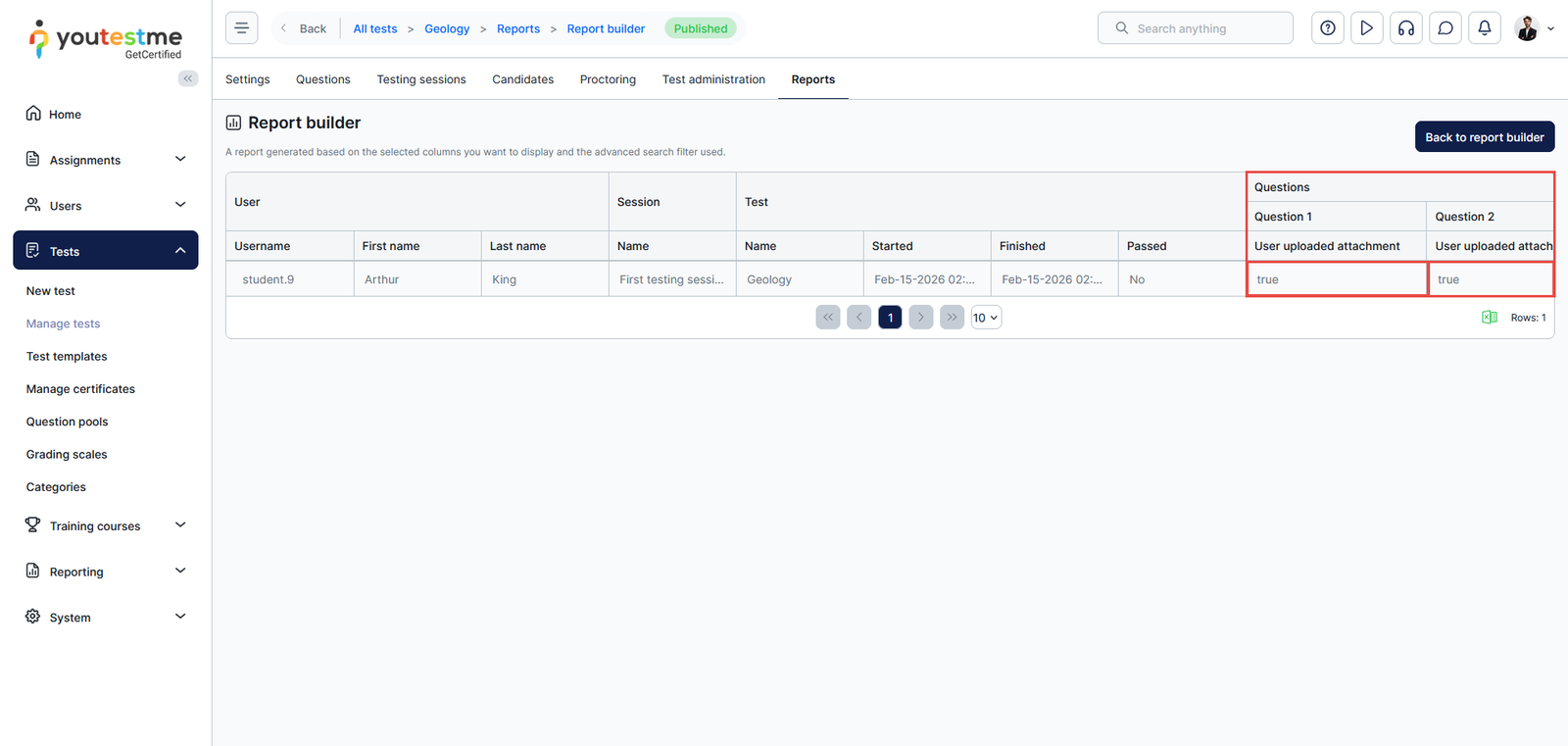
The column User uploaded attachment with the values True/False will be displayed in the report. If the question contains an attachment, the value will be set to True, and if not, then to False.
The column will also be filled when candidates upload files using the Upload Attachments option on the essay question.
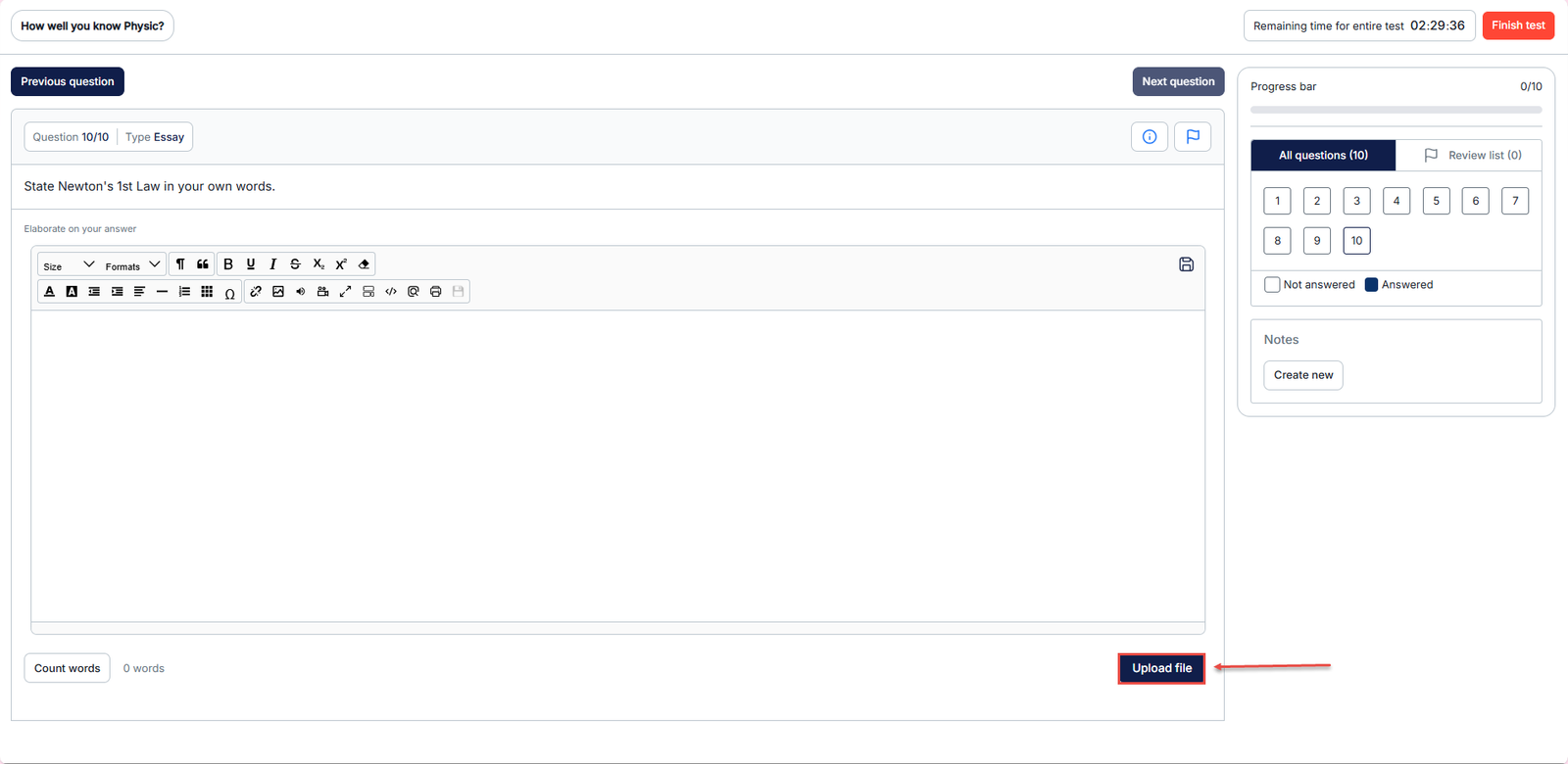 This method allows candidates to voluntarily attach a file to their essay response. If the candidate uploads an attachment this way, the User Uploaded Attachment column will likewise be set to True. For more information on how candidates can upload attachments using this method, refer to How to Upload Attachments to Essay Questions.